Locally Hosted ISO Store with Garage
The Problem
For some time now I have been using Harvester, and Harvester with a simple manifest, or Terraform block can be configured to pull ISOs (or QCOWs) from upstream sites. I strongly prefer pulling ISOs from external sources, but that leads to an issue, how long will upstream sources make ISOs/QCOWs available, and what about pay-walled images, what if I want a dozen image templates downloaded? I destroy and rebuild my lab on a semi-regular basis so these do become real annoyances for me.
This is where Garage1comes in. Garage can expose buckets as static websites2, there is just one problem:
Our website serving logic is as follow:
Supports only static websites (no support for PHP or other languages)
Does not support directory listing
So this wont be as simple as just uploading my ISOs to a bucket. I will need to take my ISOs and generate a static site manually to make it easily navigable.
The Solution
It was probably obvious that at this point I was going to end up writing a script to handle this. I found a few scripts others had written that were 70% what I was looking for, but were all just missing a little something here or there. I had a couple goals:
- Make it semi-pretty, after all, why should it be ugly?
- A navigation bar at the top so I can go back x directories
If you want to checkout the repo you can find it here: Static_Site_Generator
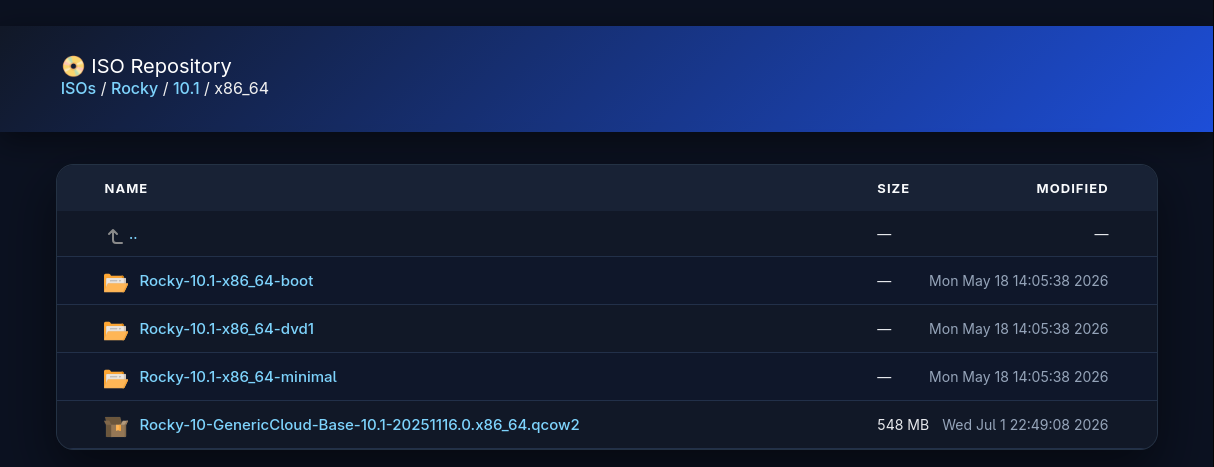
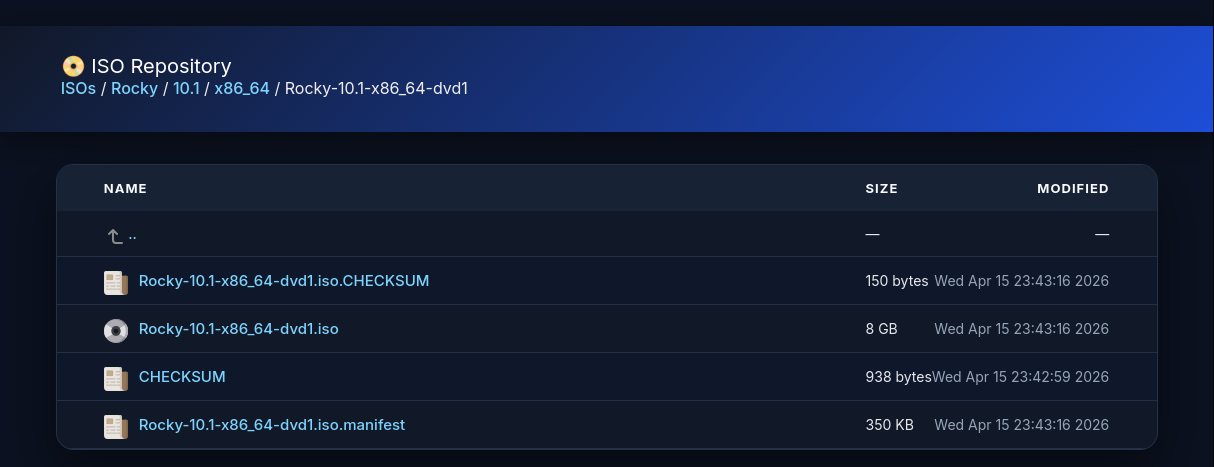
Sample Images
The main page:

Rocky Folders:
Archived Sources
Each source listed above links to the relevant external resource, however for the sake of clarity, or in case any site becomes unavailable, for whatever reason, archived sources are listed below: